Some unknown HTML tags
To pursue a highly rewarding career, seeking for a job in challenging and healthy work environment where I can utilize my skills and knowledge efficiently for organizational growth. Seeking a beginners role to explore and enhance my technical knowledge gained at University in the last few years. I am looking for a responsible job with an opportunity for professional challenges and self development that enables me as a fresh graduate to grow while fulfilling organizational goals
1. Fieldset tag
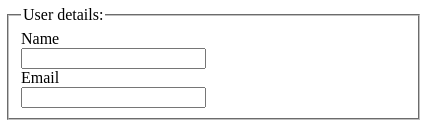
The <fieldset> tag in HTML is used to group logically similar fields within an HTML form.
<fieldset>
      <legend>User details:</legend>
      <label>Name</label><br />
      <input type="text" name="name" /><br />
      <label>Email</label><br />
      <input type="email" name="email" /><br />
</fieldset>
Output
2. kbd tag
It's a phrase tag that specifies the keyboard input. The text within the <kbd> tag is usually displayed in the browser's default monospace typeface.
<p>keyboard shortcut :
        <kbd>Ctrl</kbd> + <kbd>N</kbd>
</p>
Output

3. Datalist tag
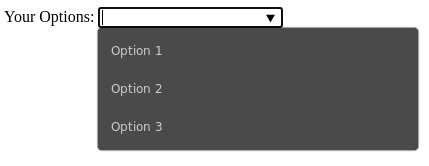
In HTML files, the <datalist> tag is used to give autocomplete functionality. It can be combined with an input tag to allow users to quickly fill out forms by selecting data.
<form>
      <label>Your Options: </label>
      <input list="options" />
      <datalist id="options">
         <option value="Option 1" />
         <option value="Option 2" />
         <option value="Option 3" />
      </datalist>
</form>
Output
4. Meter tag
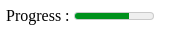
A scalar measurement within a predefined range, or a fractional value, is defined with the <metre> tag.
Progress : <meter value="0.7">7 out of 10</meter>
Output
5. Time tag
The <time> tag specifies a specified day and time (or datetime).
<p>Open from <time>10:00</time> to <time>21:00</time> every weekday.</p>
Output

6. Progress tag
The <progress> tag is used to show how far a work has progressed. It makes it simple for web developers to add a progress bar to their website. It's usually used to illustrate how far a file is uploading on a web page.
Downloading progress:
<progress value="80" max="100"></progress>
Output

7. Abbr tag
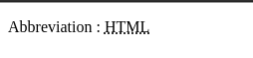
The <abbr> tag represents an acronym or abbreviation of a longer term or phrase, such as www, HTML, HTTP, and so on. In some browsers, content written between <abbr> tags is rendered with a dotted underline.
<p>Abbreviation : <abbr title="HyperText Markup language">HTML</abbr> </p>
Output
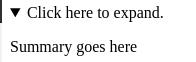
8. Details tag
The <details> tag is used to express additional information on a web page that the user can view or hide at any time.
<details>
      <summary>Click here to expand.</summary>
      <p>Summary goes here</p>
 </details>
Output